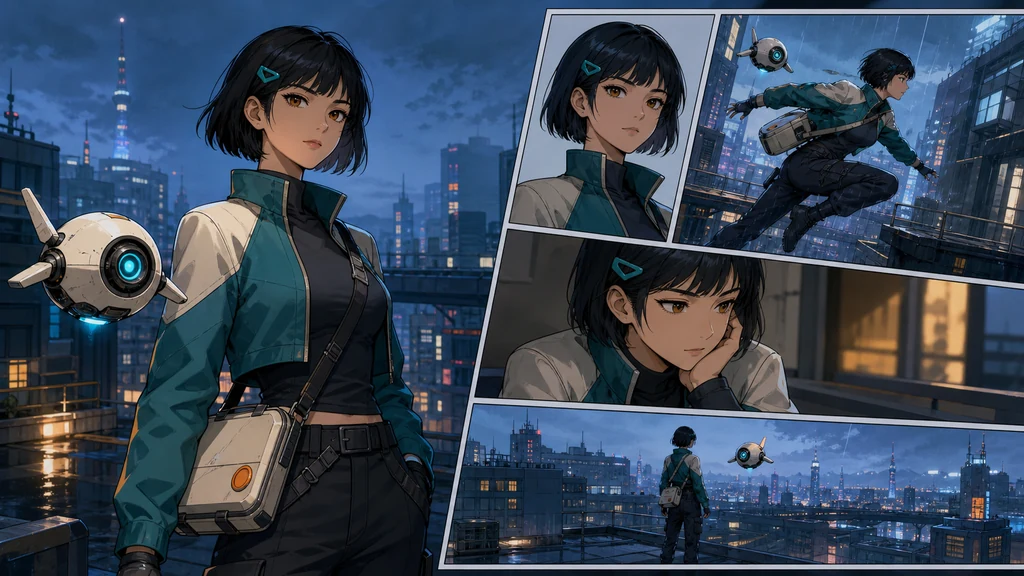
The hardest part of an AI webtoon is not making one attractive image. It is making the next panel show the same person, wearing the same costume, continuing the previous action in the same place. A reliable episode therefore separates facts that must never change from the action, camera, and emotion that change in each panel.
This guide was checked against current official documentation from Google, OpenAI, Midjourney, Adobe, and C2PA on August 11, 2026. No service guarantees perfect continuity, so the goal is a reviewable production system rather than a magic model setting.

1. Write the episode contract first
Reduce the event to one sentence: “Adult courier Mira and her drone Bori rescue a falling delivery case on a rainy rooftop.” Then create a continuity ledger.
| Area | Lock across the episode | Change by panel |
|---|---|---|
| Character | face, hair, eyes, costume, props, proportions | expression, pose, gaze |
| Space | time, weather, geography, landmarks | camera, lens, distance |
| Event | goal, cause and effect, prop state | action beat, speed, emphasis |
| Rendering | line, color, light, aspect ratio | panel size, spacing, effects |
Use verifiable traits instead of broad adjectives: short black bob, teal triangular clip above the left temple, amber-brown eyes. Reuse this locked block; do not ask the model to reinvent it in every prompt.
2. Approve a character bible
A front portrait does not constrain profiles, backs, expressions, or props. Build a turnaround with front, three-quarter, side and back views, expression tests, isolated props, and color swatches. Favor a design that survives multiple angles over the prettiest single face.
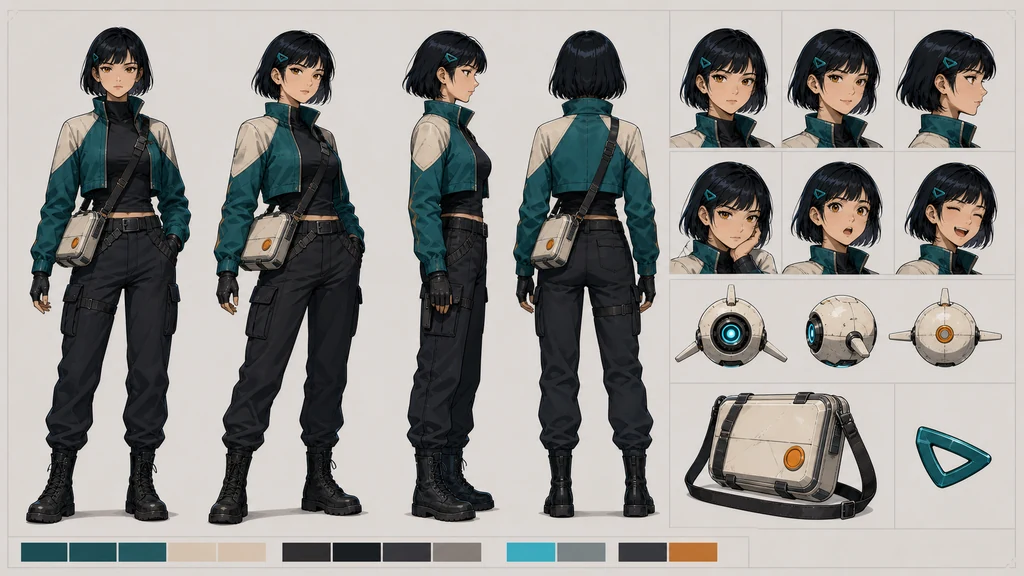
Google documents sequential image workflows that return earlier results to later turns, while OpenAI recommends explicit reference images, iterative editing, and a clear statement of what must be preserved. Model-specific reference limits vary. The practical rule is to pass both the approved bible and the immediately previous approved panel—not merely the phrase “same character.”
Reusable identity lock
~~~text Use the approved character sheet as the identity source. Adult Mira: short black bob, teal triangular clip above her left temple, amber-brown eyes, cropped teal jacket with cream shoulder panels, charcoal high neck, dark utility trousers, and one cream cross-body case with one orange circular latch. Bori: one cream spherical drone, one cyan camera eye, two short fins. Do not alter face, hair, costume, palette, proportions, or prop count. ~~~
3. Convert the script into visual beats
Break the episode into place, discovery, decision, action, result, and emotion. Record who acts, what moved from the previous panel, and what the next panel must confirm. Cause and effect come before dialogue.
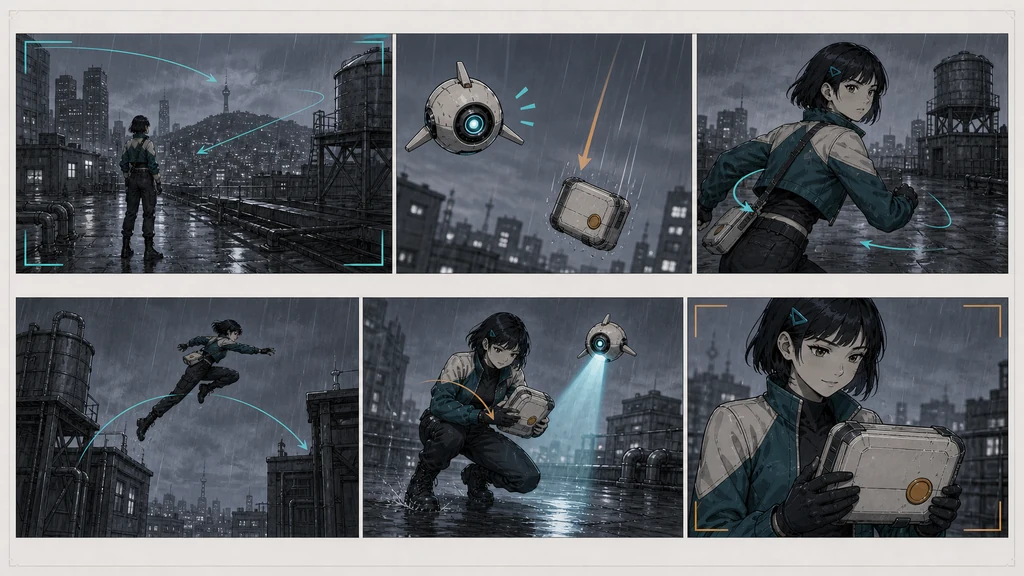
Use low-fidelity boards to check screen direction and geography. If Mira starts running right, do not flip her without motivation. Mark the falling case, the rooftop gap, and Bori's position. Spatial errors are cheaper here than in finished art.
4. Split every prompt into lock and delta blocks
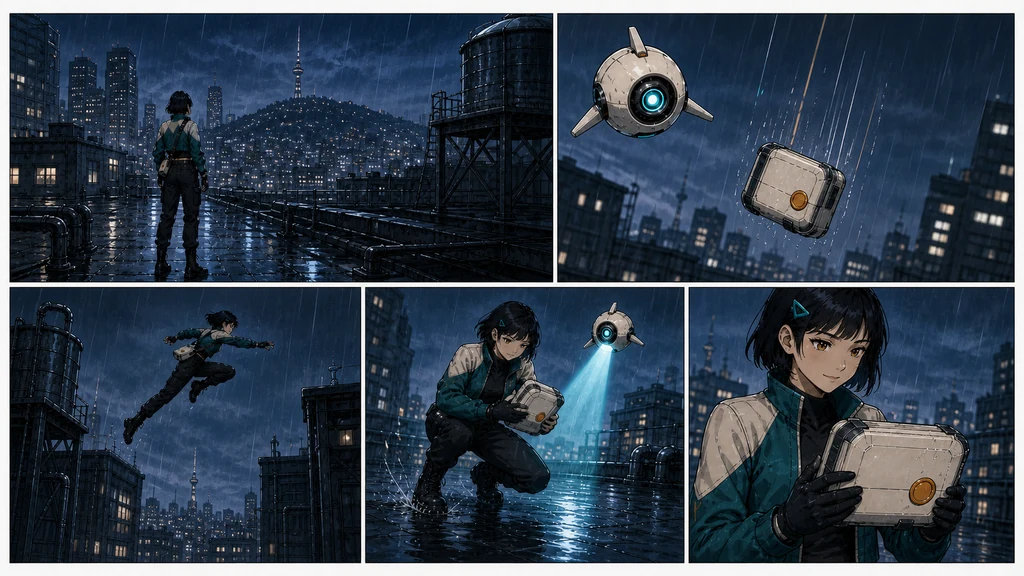
~~~text [LOCK] Use the approved character sheet and prior approved panel. Preserve identity, costume, props, rainy blue-hour rooftop geography, ink, and cel shading.
[THIS PANEL] Action: Mira leaps right across a narrow rooftop gap. Camera: slight low-angle full-body wide shot with lead room. Continuity: the case is falling lower-right; Bori is above the case. Emotion: determination before fear.
[AVOID] Hair, eye, jacket, or case changes; extra people; duplicate limbs; fake text. ~~~
In Midjourney V7, Omni Reference is designed for the subject or object, while Style Reference transfers visual qualities such as color, medium, and lighting. Midjourney documents one Omni Reference per generation and warns that excessive weight can create artifacts. Firefly similarly separates style and composition references with adjustable strength. Whatever the platform, treat identity, style, and composition as different controls.
5. Approve one panel at a time
- Approve panel one as the episode's face, palette, and location baseline.
- Send the character bible and previous approved panel into the next generation.
- Repair small facial, hand, or prop errors with local editing.
- Feed forward only approved results.
- Recheck the ledger every three to five panels.
| Failure | Likely cause | Better repair |
|---|---|---|
| Face drift | competing reference faces | prioritize one bible and the last approved panel |
| Costume drift | vague locked traits | specify color, position, and count |
| Teleporting space | no geography record | make a small map and move only the camera |
| Unreadable action | too many events in one panel | split setup, peak, and result |
| Bad hand contact | complex interaction in one pass | simplify the pose, then edit hand and object locally |
6. Letter after image generation
Image text has improved, but long dialogue, font consistency, proofreading, and translation remain easier to control as editable vector text. Reserve negative space during generation and add dialogue in the publishing tool.
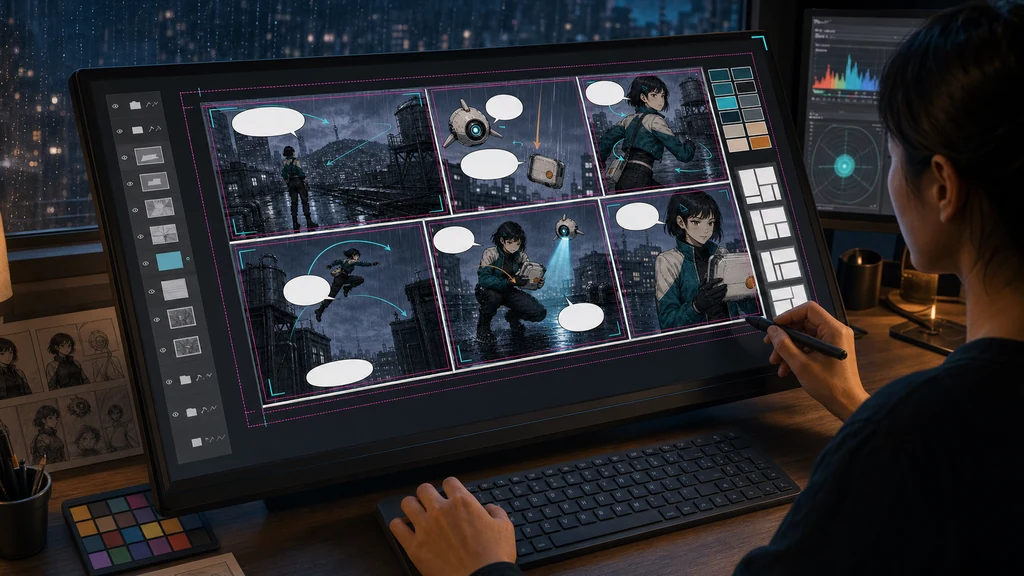
Balloons should not cover faces or essential hand actions. In vertical scroll, empty space controls timing. Read the lettered episode at mobile width. English and Japanese lines expand differently, so resize balloons per locale and never bake one language permanently into the art.
7. Preserve rights and production provenance
Use references you created or are licensed to use. Describe line, color, light, material, and era instead of asking to copy a living artist. Verify the service's current terms before commercial release.
C2PA Content Credentials can record provenance, editing, and AI use. Metadata may not survive every platform, so also retain original files, prompt versions, reference rights, and edit logs.
Pre-publish checklist
- [ ] Face, hair, eyes, costume, and prop count match in every panel
- [ ] Geography and screen direction continue between panels
- [ ] Each panel carries one essential action
- [ ] Hands and object contact survive close review
- [ ] Dialogue remains on editable layers and reads at mobile width
- [ ] Balloon sizes were checked in each locale
- [ ] Reference rights, generation tool, and edits are documented
Consistency is not a lucky generation. It is the practice of carrying approved decisions into the next panel.
Official references
- Google Gemini image generation
- OpenAI GPT Image 2 prompting guide
- Midjourney Omni Reference · Style Reference
- Adobe Firefly style reference · composition reference
- C2PA Content Credentials explainer
Features, prices, reference limits, and usage terms can change. Check each service's latest documentation before production.